 deedplat
Deedplat / How it works
From the map to who to call
From picking a county to knowing who to call, here's what using Deedplat looks like, with real records from Pittsburgh's South Side.
1 of 5
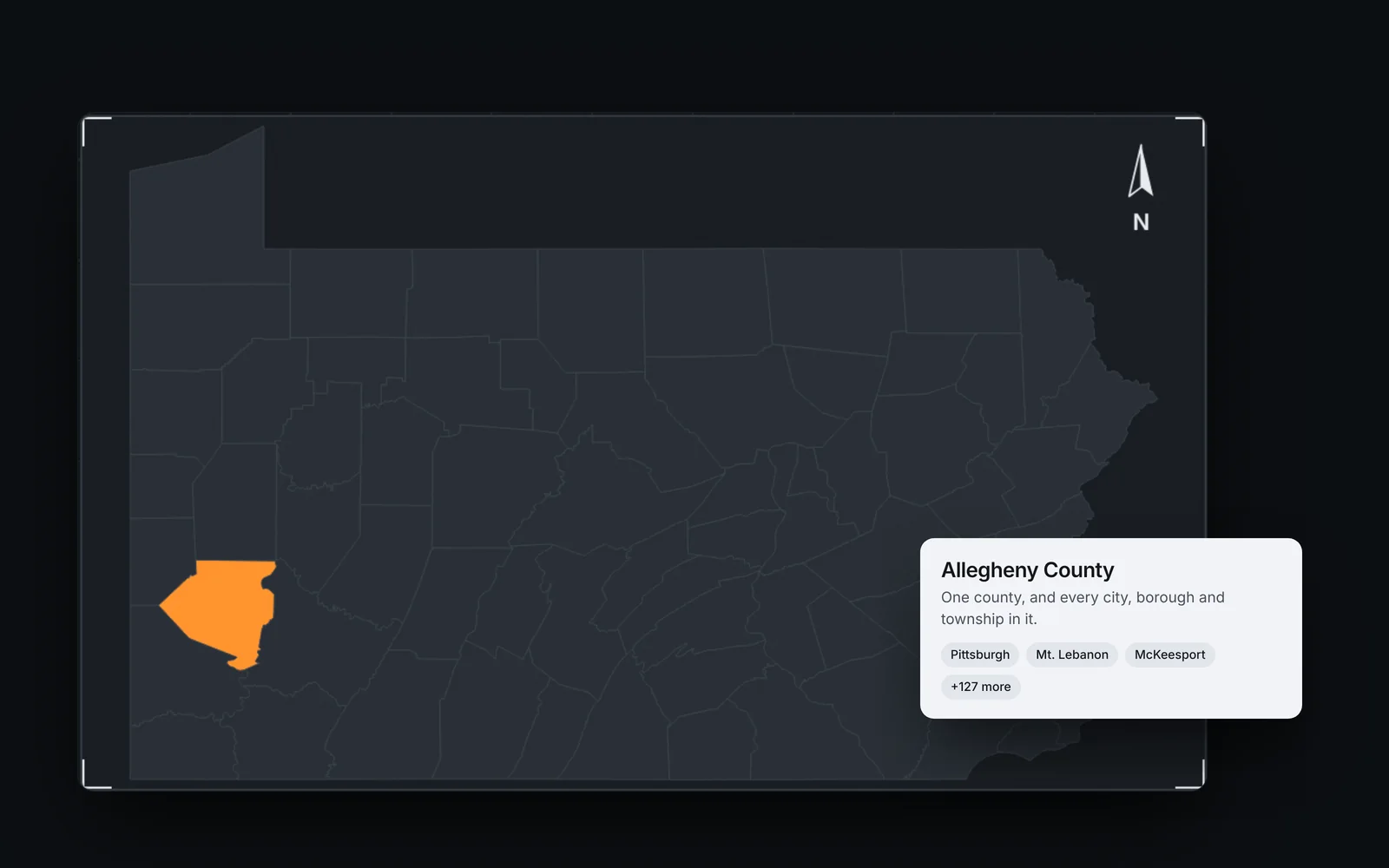
Pick your county
Deedplat is priced by county, and every city, town and township in it comes with it. Tell us where you invest and we'll set it up.
- Any U.S. county
- Every town included
- Add counties any time
2 of 5
Explore the map
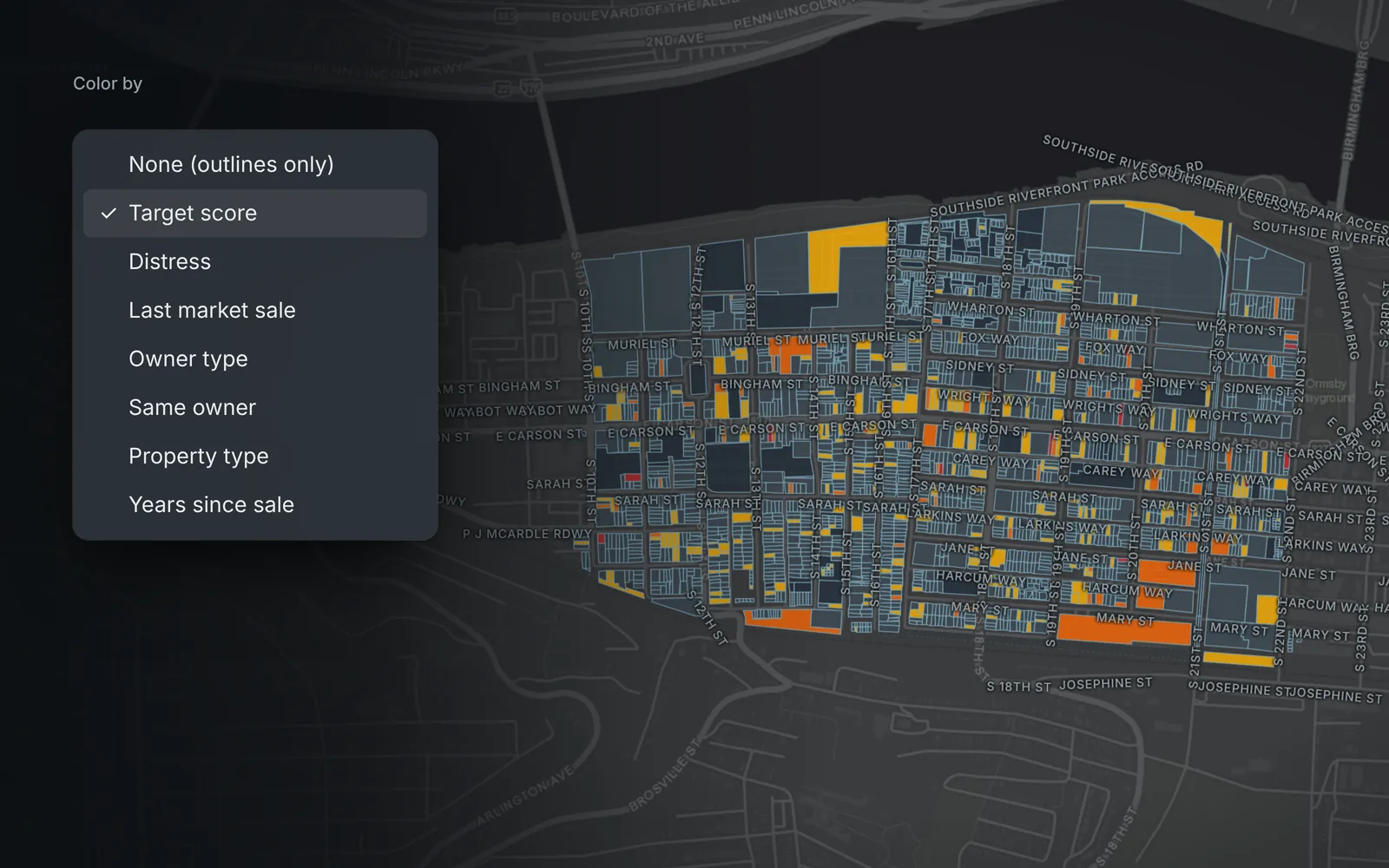
Every lot on the map is colored, and you choose what the color means. It opens on target score, so the likeliest sellers stand out first. Here's every way to look at it.
- Eight ways to color it
- Draw an area
- Layers
- Saved areas
Ways to explore the map
Each one is a click away in the map tools.
Color by
Target score
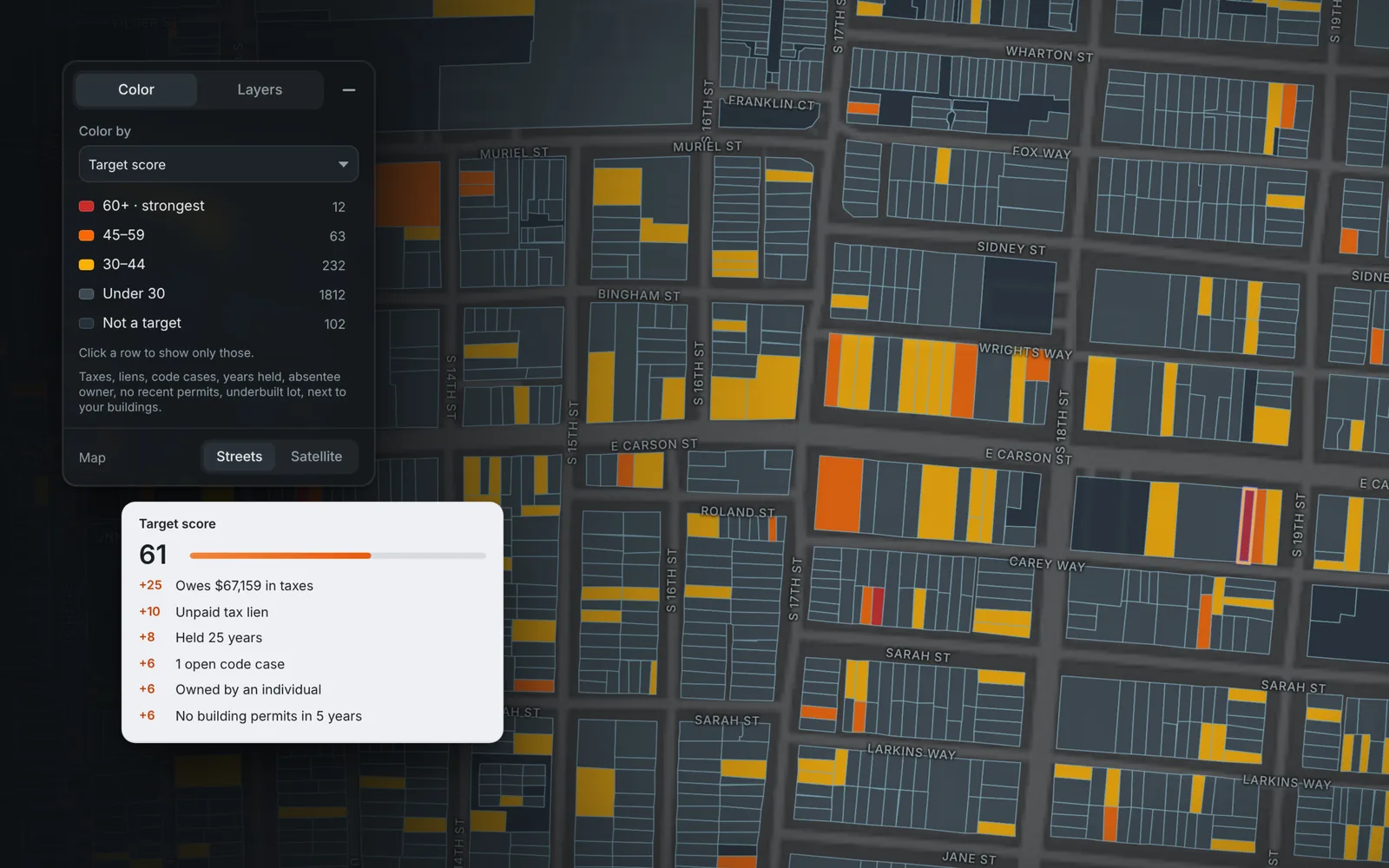
Every parcel gets a score from 0 to 100 for how likely it is to sell. Points come from unpaid taxes, liens, a sheriff sale listing, condemnation, open code cases, years since the last sale, an absentee or out-of-state owner, no permits in five years, an underbuilt lot and sitting next to buildings you own. Open any lot to see where every point came from.
- 0 to 100
- Every point shown
- 60 and up is strongest
Color by
Distress
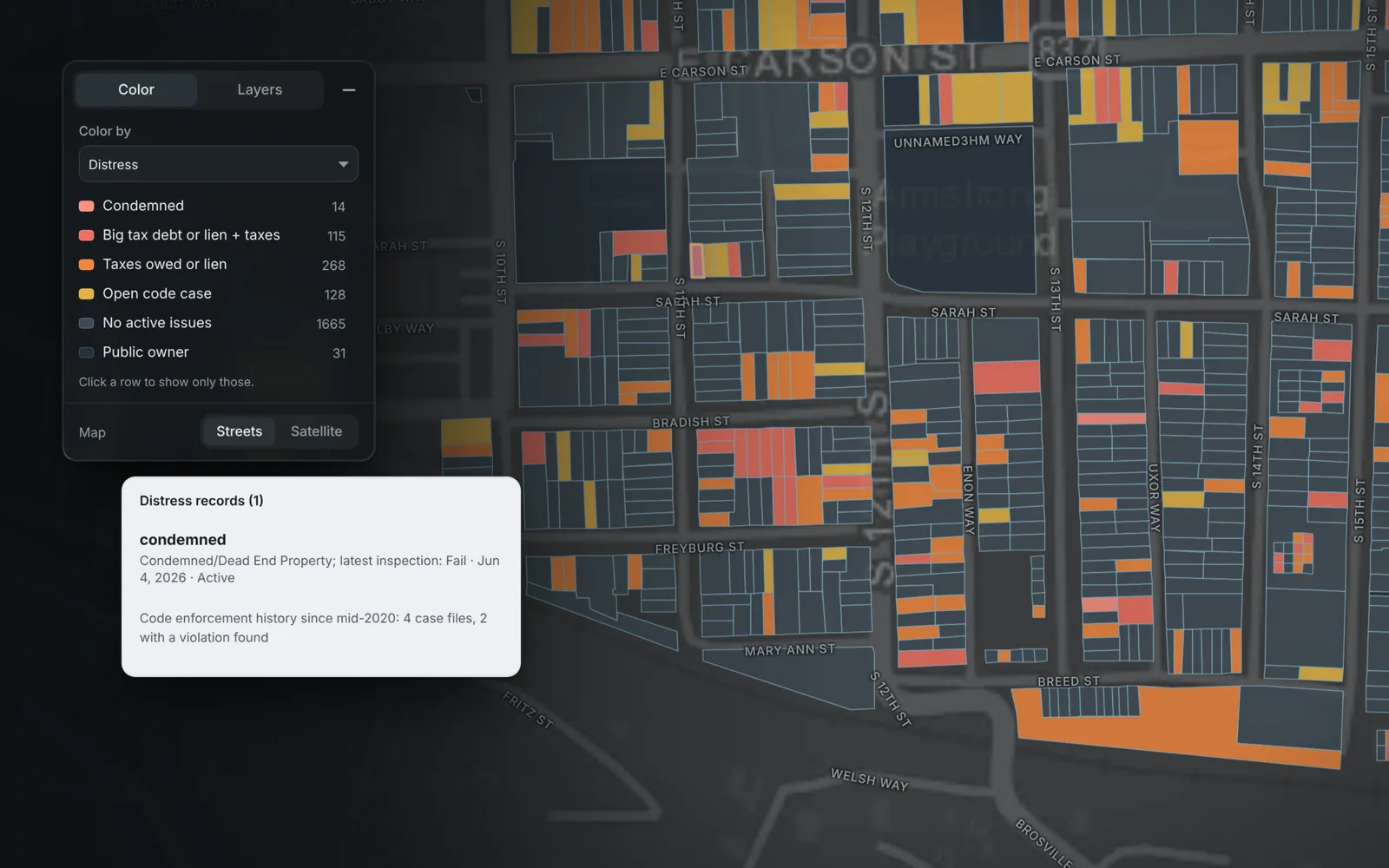
See trouble at a glance: condemned buildings, big tax debts or a lien on top of back taxes, taxes owed, and open code cases. Public owners are set aside so they don't crowd the picture.
- Condemned
- Tax debt and liens
- Open code cases
Color by
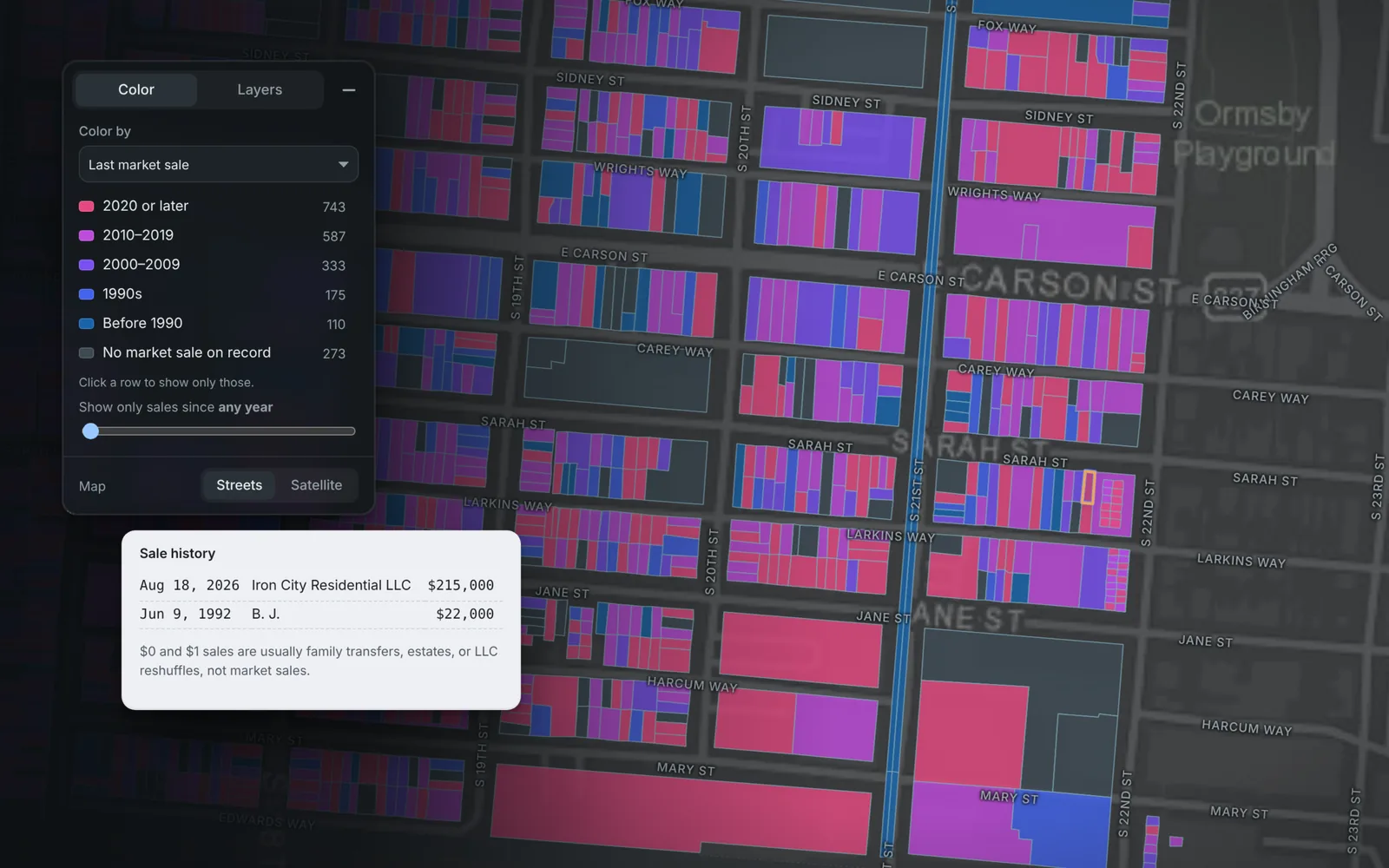
Last market sale
Colors each lot by when it last sold at a real price, from 2020 on back to before 1990. Slide to show only sales since a given year and see where buyers are moving in. $0 and $1 transfers between family members or LLCs don't count.
- 2020 or later
- Sales since any year
- Real sales only
Color by
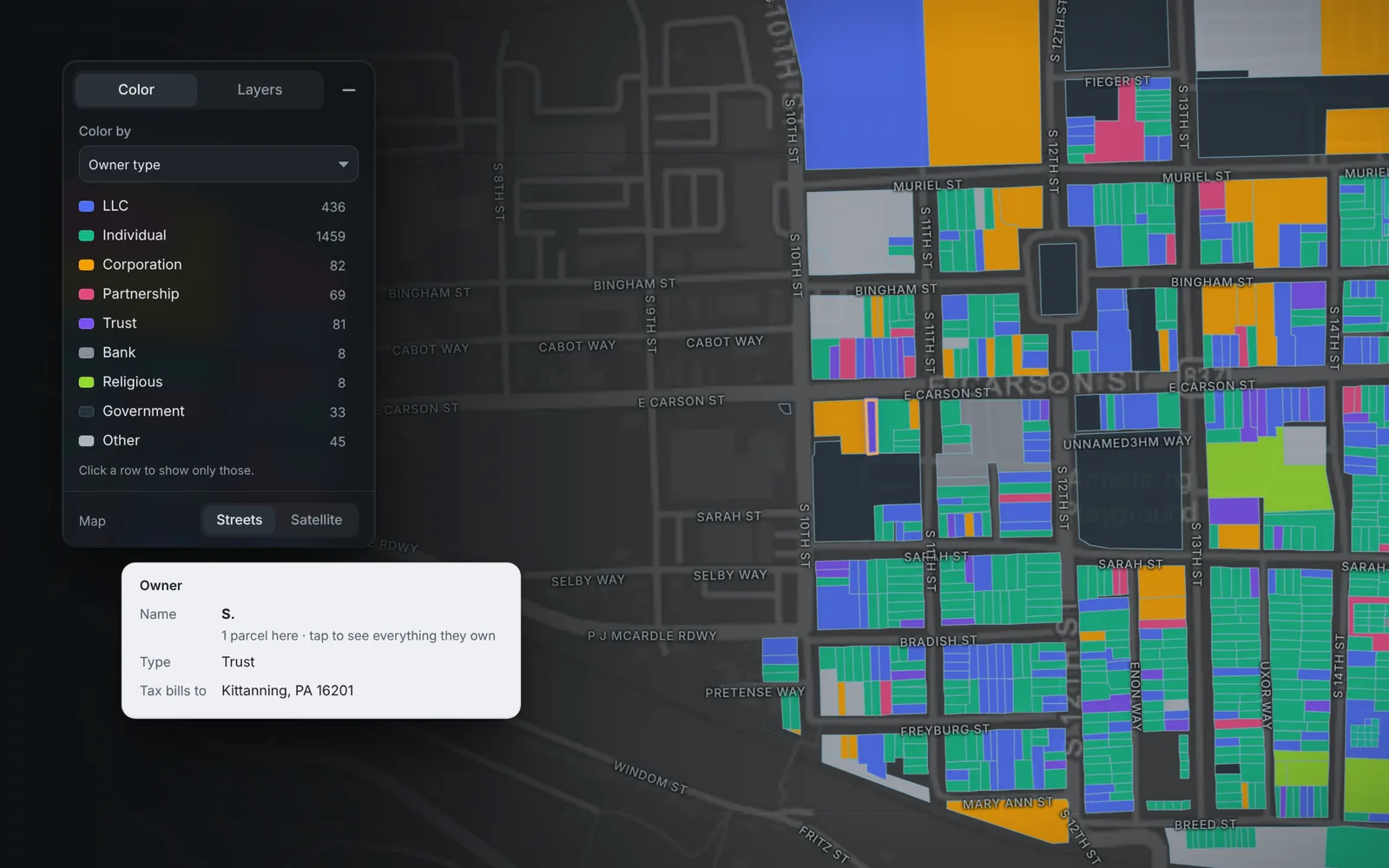
Owner type
Who holds each lot: individuals, LLCs, corporations, partnerships, trusts, estates, banks, churches and government. Click a type, like Estate or Trust, to show only those. Estates and trusts are a good place to start.
- Trusts and estates
- LLCs
- Click to filter
Color by
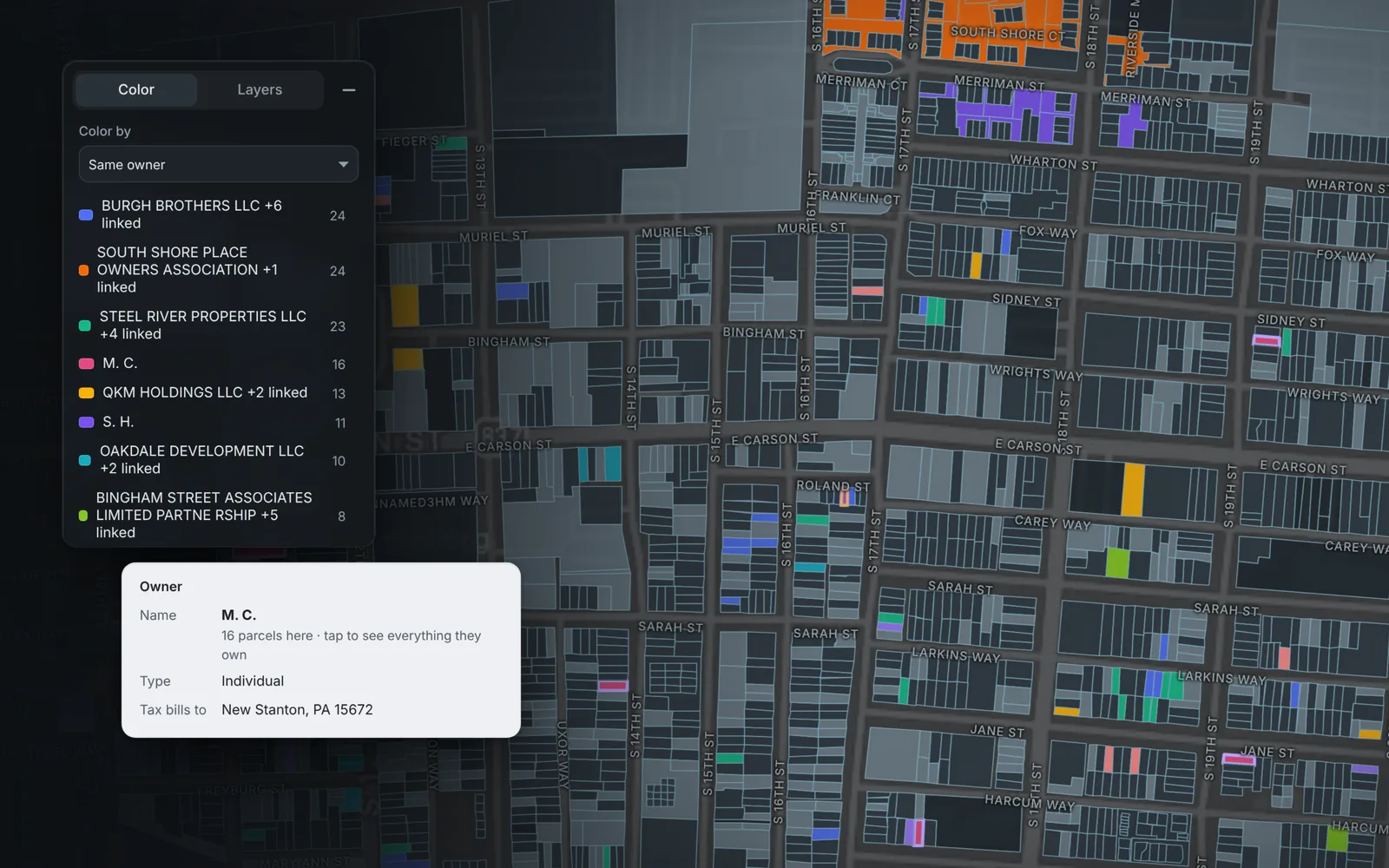
Same owner
Every owner with more than one parcel gets its own color, including LLCs tied together by the same people or the same tax-bill address, and the biggest holders are listed first. Click one to see only what they hold.
- Biggest holders first
- LLCs tied together
- Click to filter
Color by
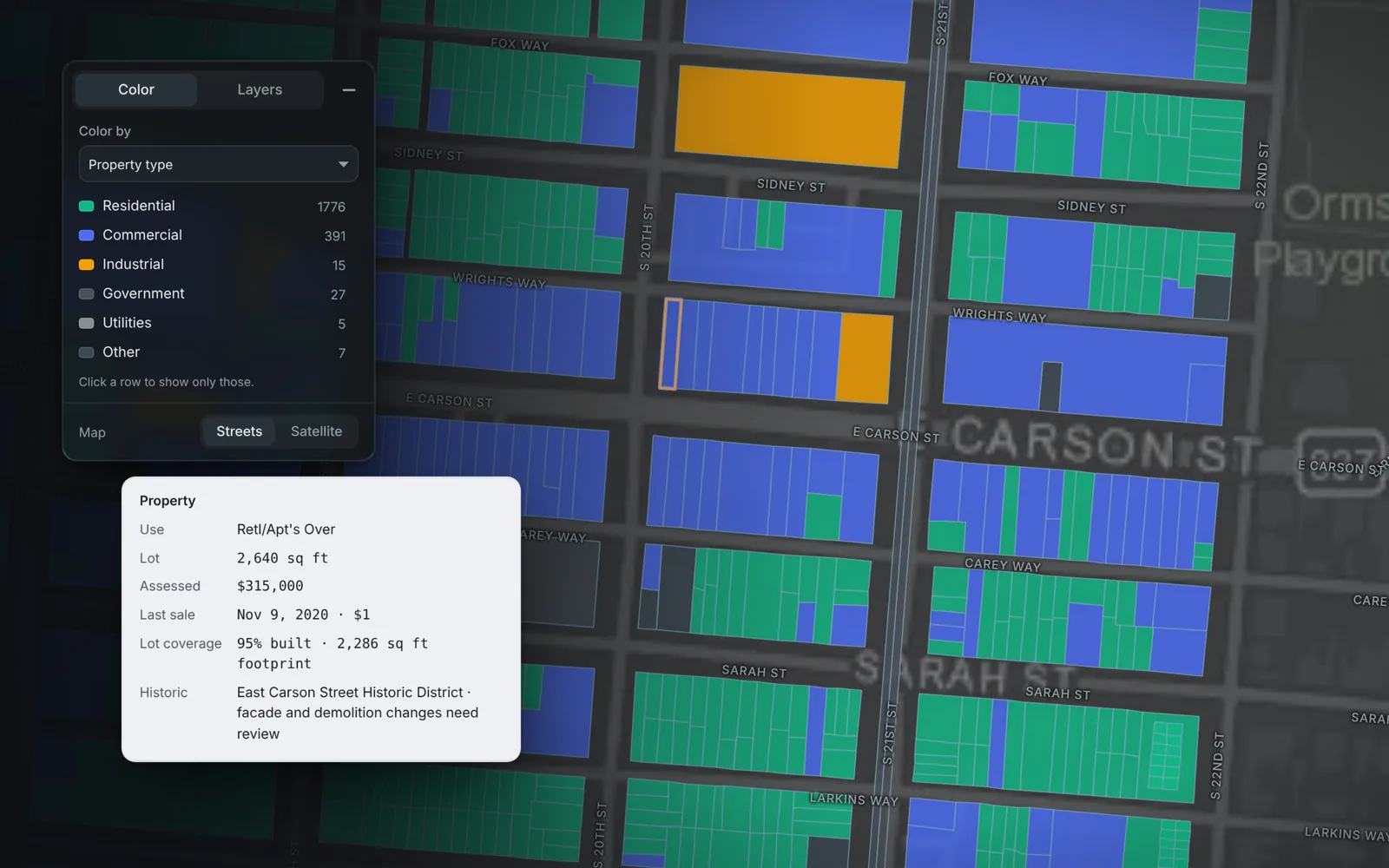
Property type
Residential, commercial, industrial, government and utility parcels in their own colors. The property mix in the side panel breaks each one down by use, like row houses or a store with apartments above it.
- Residential
- Commercial
- Use breakdown
Color by
Years since sale
How long the current owner has held each lot, from under 5 years to 30 and up. Owners who've held for decades often bought low and have the most room to sell.
- 30 and up
- Under 5
- Long-time owners
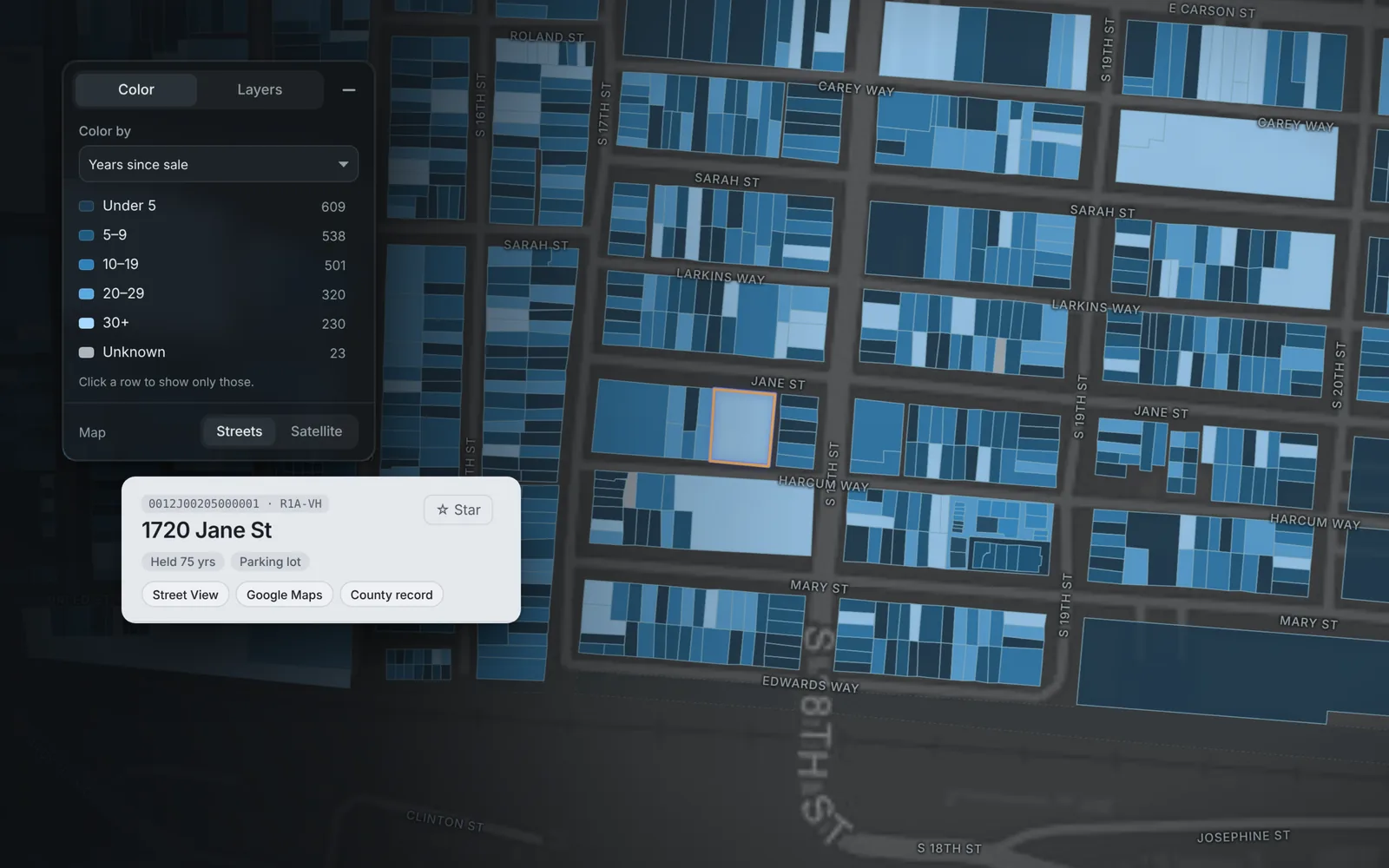
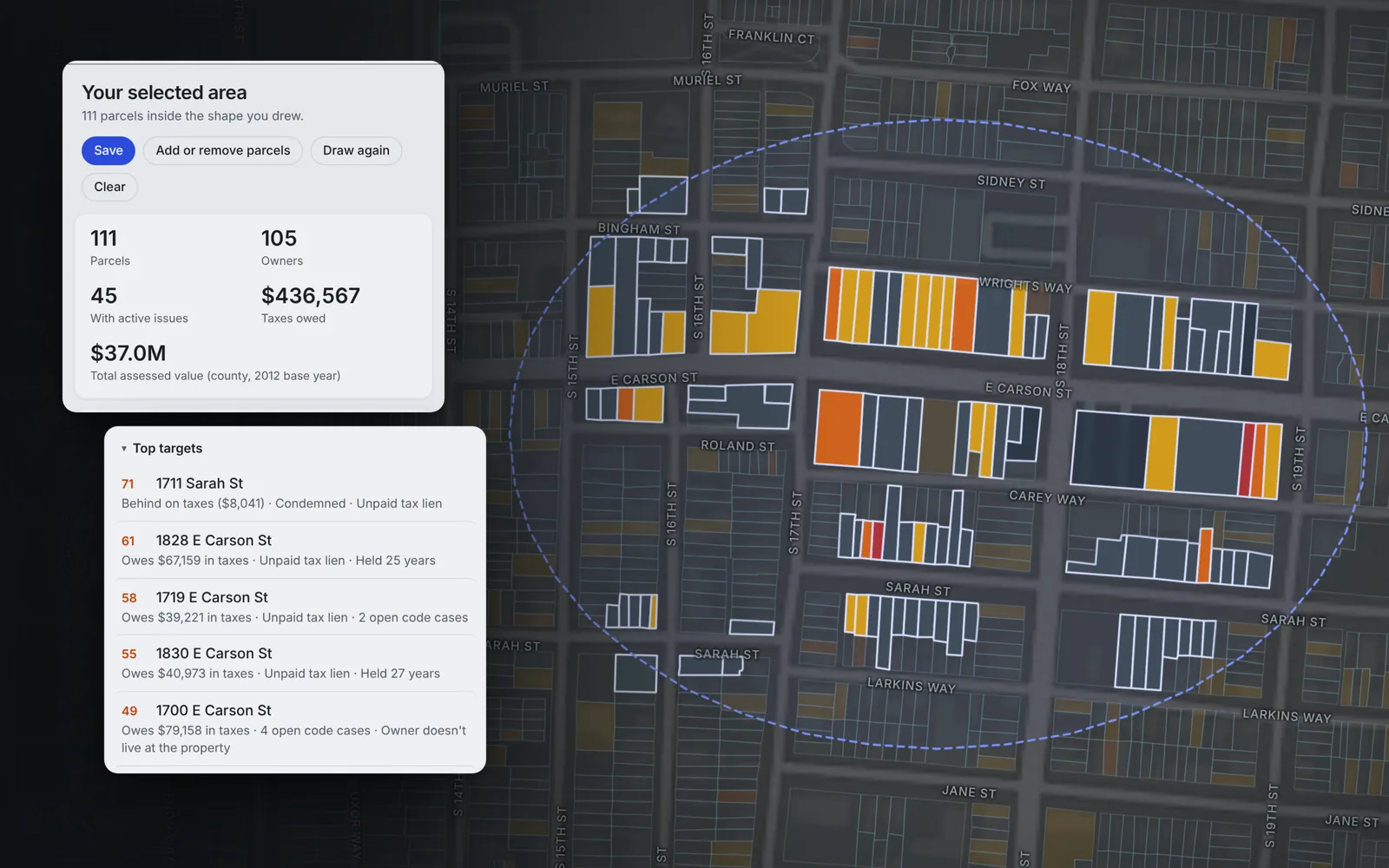
Select area
Draw around a few blocks
Choose Select area and loop the blocks you care about. Parcels, owners, taxes owed, assessed value, property mix and top targets recount for just that shape, and you can click parcels to add them or take them out.
- Counts for just that shape
- Taxes owed
- Top targets
- Add or remove parcels
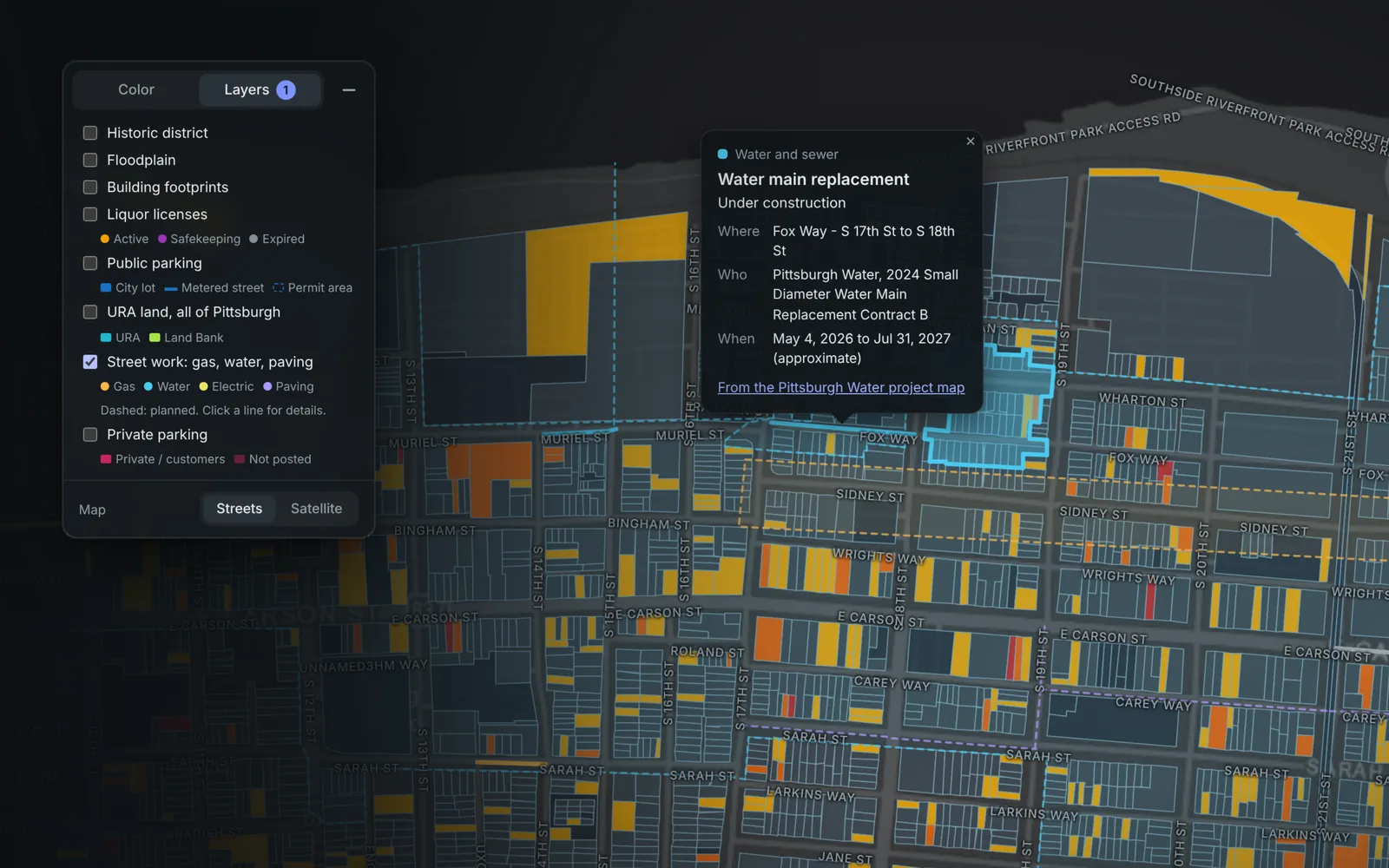
Layers
See what's happening around it
Layers add URA and Land Bank lots, historic districts, floodplain, parking and street work. Click a gas, water or paving line to see what the work is, who's doing it and when.
- Street work
- URA and Land Bank
- Historic districts
- Floodplain
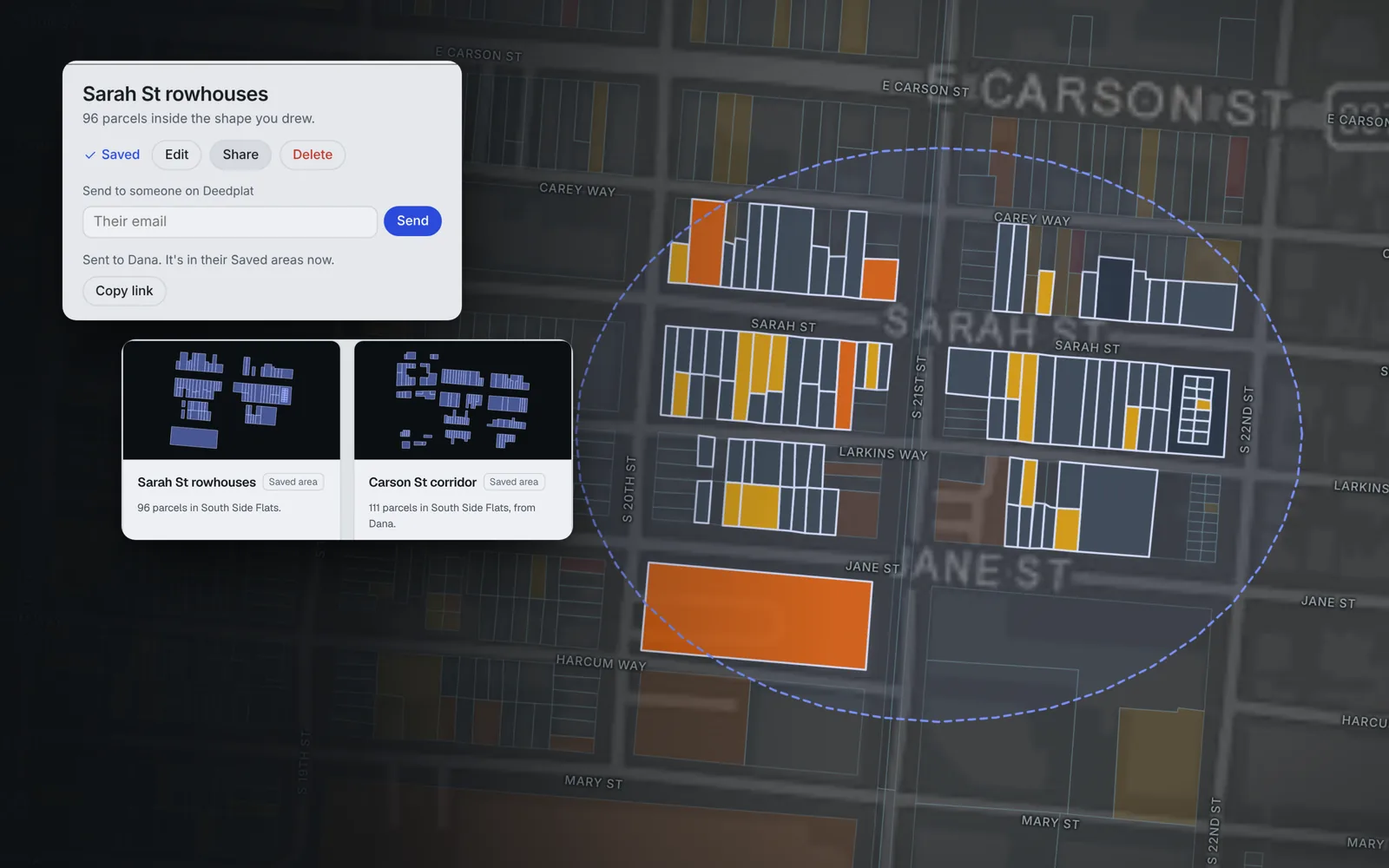
Saved areas
Save it and share it
Name an area and save it. It shows up in your Favorites on the home screen, and you can send it to a partner on Deedplat or copy a link, so you're both looking at the same blocks.
- Favorites
- Send to a partner
- Copy a link
3 of 5
Open a lot
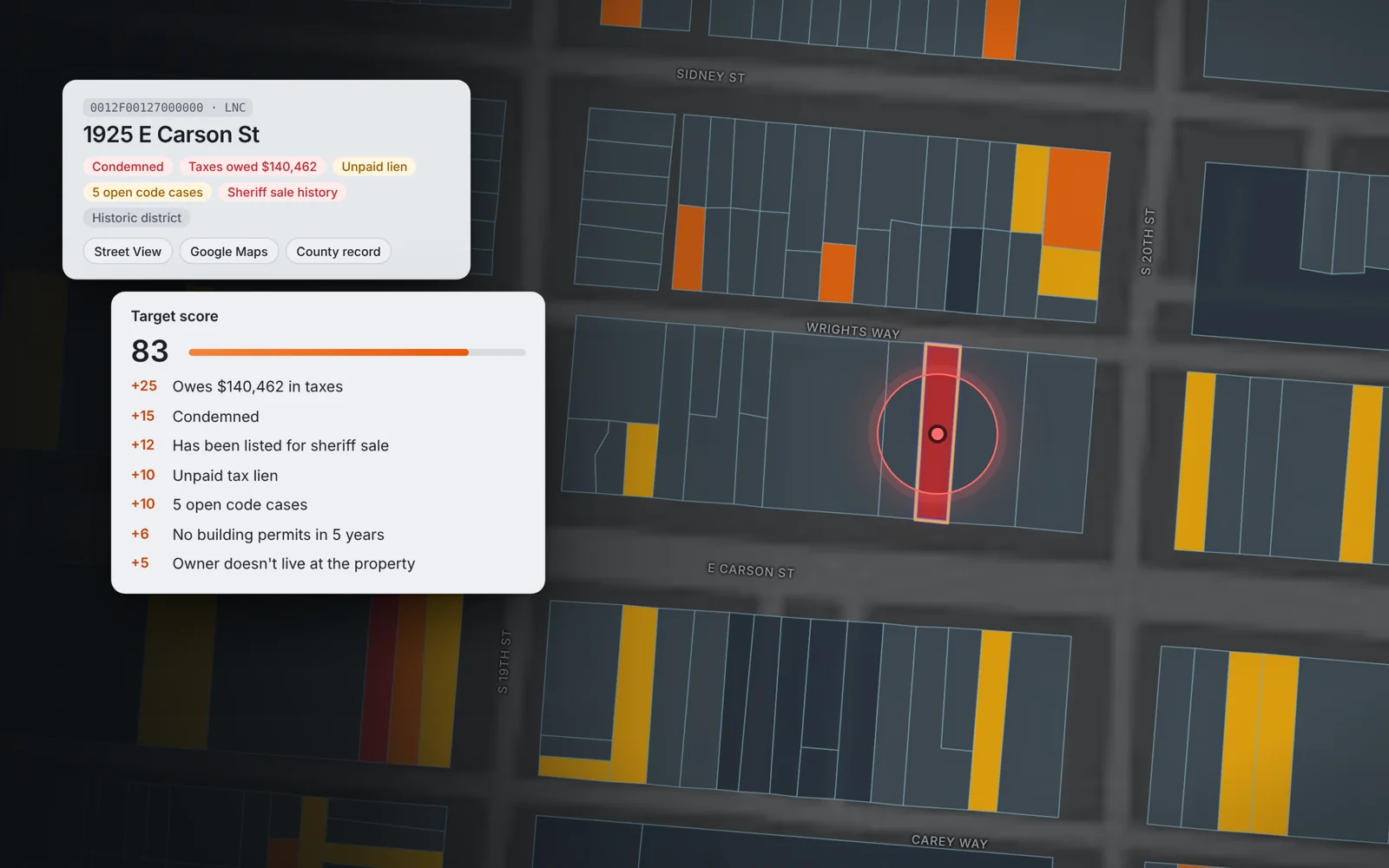
Tap any parcel to see who owns it, what they owe and every reason behind its score: back taxes, liens, sheriff sales, code cases, years since the last sale.
- Liens and back taxes
- Sheriff sales
- Sales history
- Code cases and permits
4 of 5
Find the person
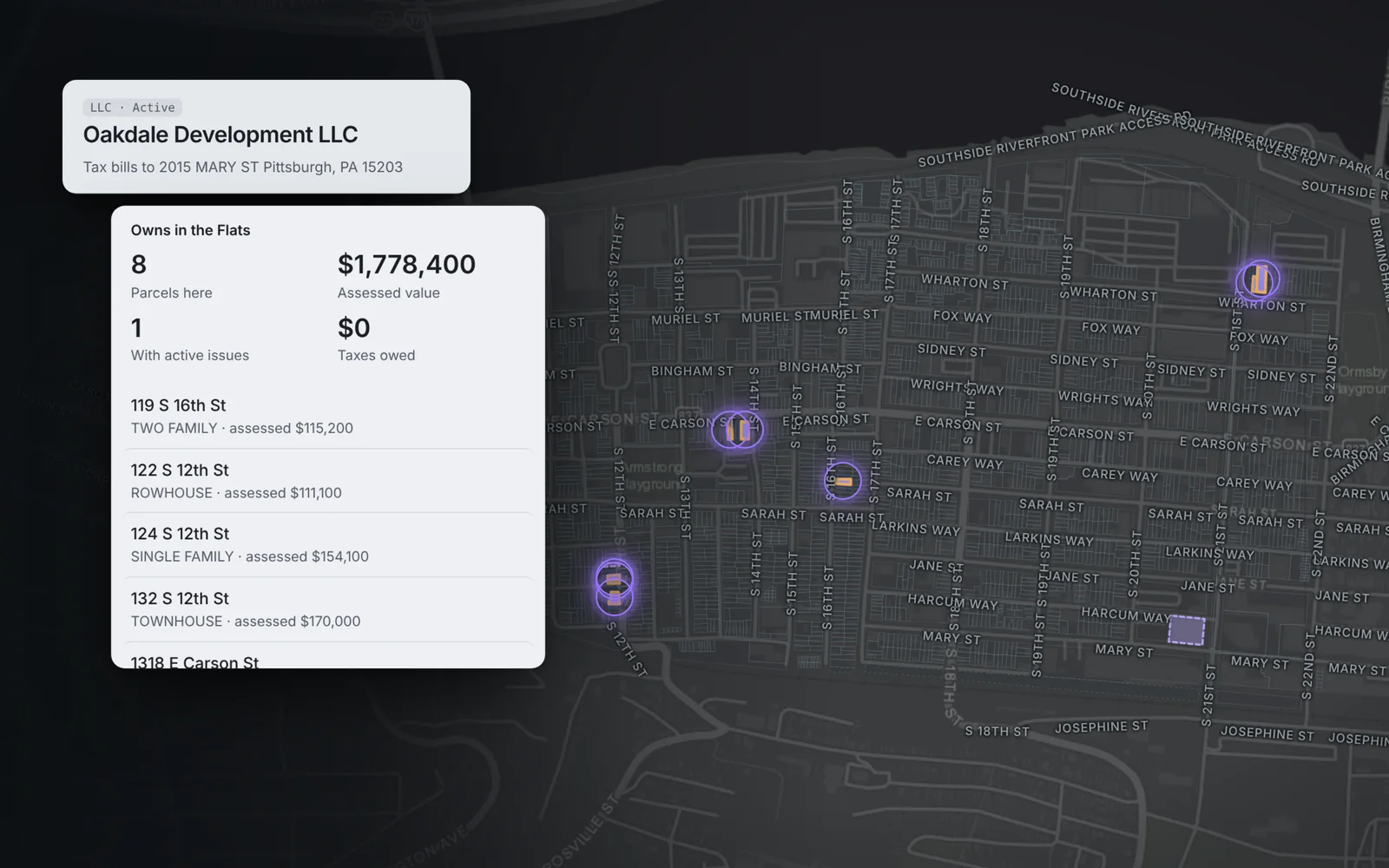
Tap the owner to see everything else they hold, with the people behind the LLC from state business filings and lots tied through the same tax-bill address.
- People behind the LLC
- Every parcel they own
- Where the tax bill goes
5 of 5
Narrow it down and keep track
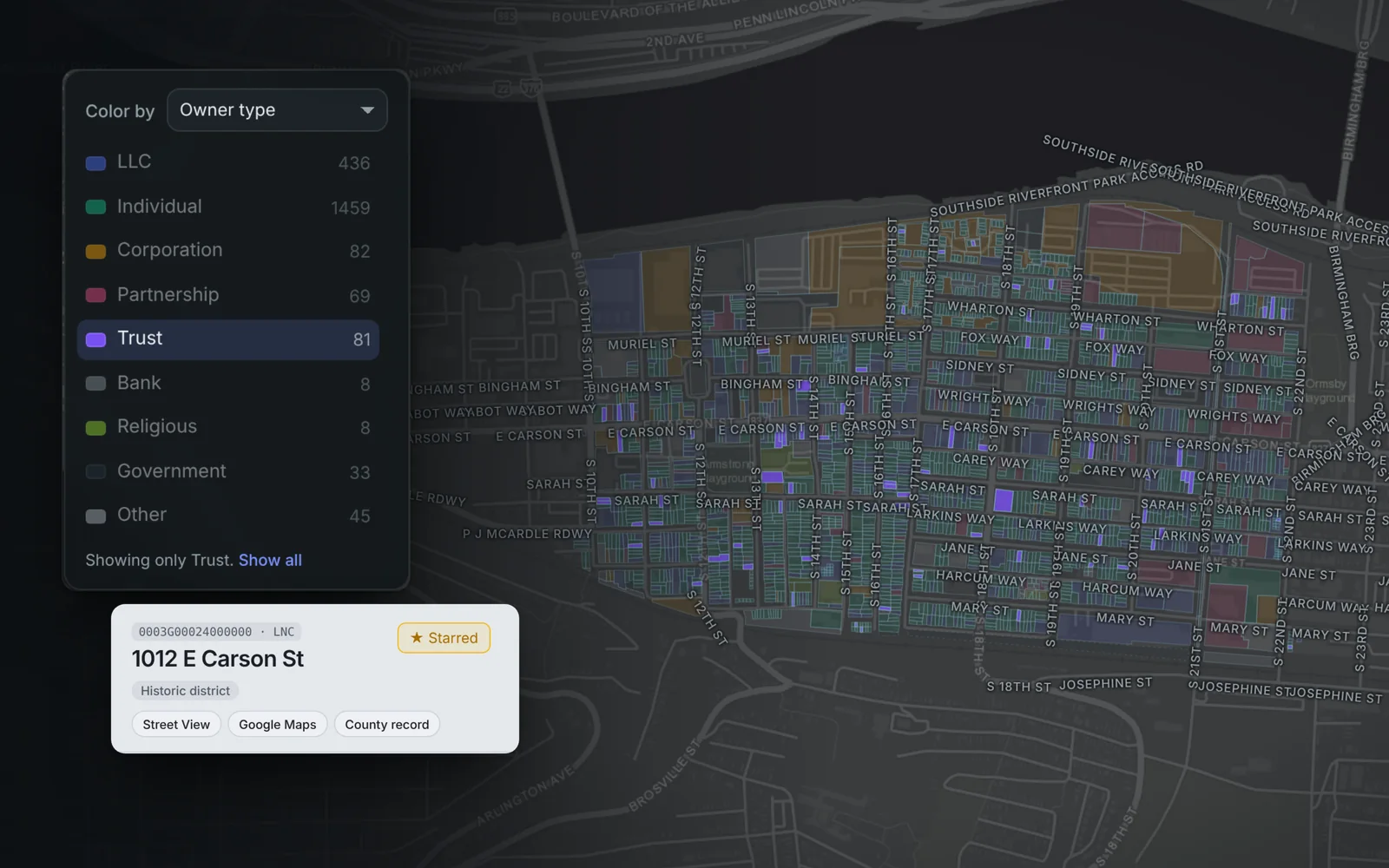
Tap a row in the color key to show only one kind, like trusts, estates or LLCs, or search by owner type. Star lots and owners to follow them on your home screen.
- Filter by owner type
- Search anything
- Stars
- Request data we don't have yet
Questions
Can I see everything one owner holds on the map?
Yes. Color the map by Same owner. Every owner with more than one parcel gets its own color, including LLCs tied together by the same people or the same tax-bill address, and the biggest holders are listed first. Click one to show only their parcels.
Can I save a group of blocks and share it?
Yes. Use Select area to draw around the blocks, adjust it parcel by parcel, then save it with a name. Saved areas show up in your Favorites, and you can send one to a partner on Deedplat or copy a link.
How do I find results the first time I sign in?
Open a town or neighborhood from your home screen. The map opens colored by target score, and the Top targets list shows the likeliest sellers first. A short guide walks you through it on your first visit.
Can I search by owner type?
Yes. Color the map by owner type and tap a row, like Trust or LLC, to show only those parcels. You can also type an owner type, like trust, estate or LLC, into the search box.
What does the target score measure?
How likely a parcel is to sell, from 0 to 100. Points come from unpaid taxes, liens, sheriff sale listings, condemnations, code cases, years since the last sale, out-of-state or absentee owners, missing permits and underbuilt lots, and each point is listed on the record.
Does it work on my phone?
Yes. The map takes the full screen, tapping a lot shows a small card, and swiping up opens the full record.
How do I get access?
Request access with your county. Deedplat is in beta and bringing people on a few at a time, and every request is read by a person.
Try it on your county
Deedplat is in beta and bringing people on a few at a time.